How Cloud Calendars Rescued My Schedule and Sanity
I used to be a digital juggler. My work life lived in a Microsoft Outlook calendar, my personal appointments were scattered across iCloud, and my side-hustle relied on Google Calendar. My daily routine involved a frantic dance between three different apps, each with its own interface and limitations. I was constantly cross-referencing, double-booking, and dropping balls. Planning my day felt less like a strategy and more like a chaotic reaction to a barrage of notifications.
Then I found Cloud Calendars, and it wasn’t just another app—it was a paradigm shift in how I organize my life.
One Hub to Rule Them All
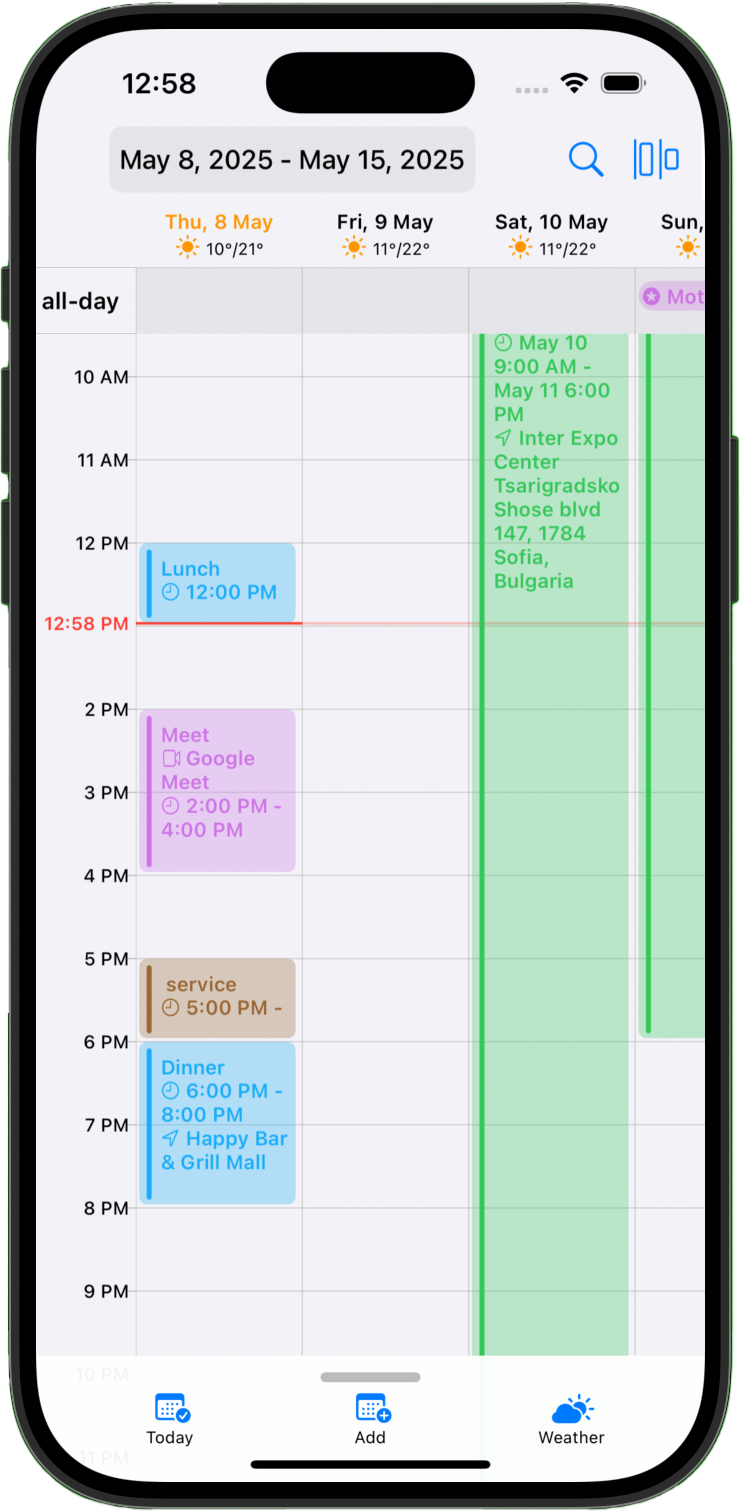
The first thing that struck me about Cloud Calendars was its ability to bring all my disparate schedules into one, beautifully unified interface. The setup was seamless. I connected my iCloud, Google, and Microsoft accounts, and suddenly, my chaotic digital life made sense. Work meetings, doctor's appointments, and project deadlines all appeared in a single, color-coded view. The app’s design is clean and intuitive, offering everything from a high-level year overview to a granular hourly grid for the day. For the first time, I could see my entire life at a glance, without switching between apps.
Planning with a Weather Eye
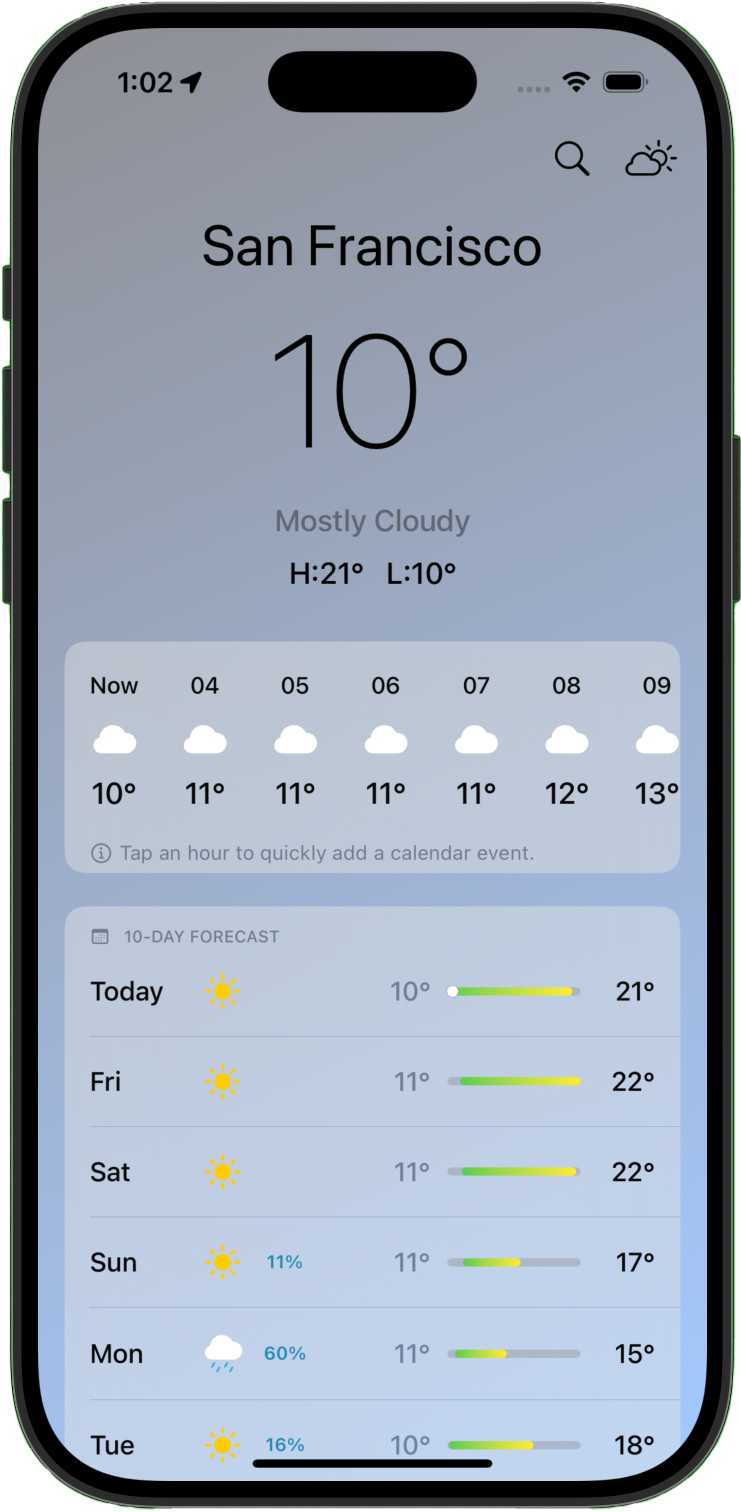
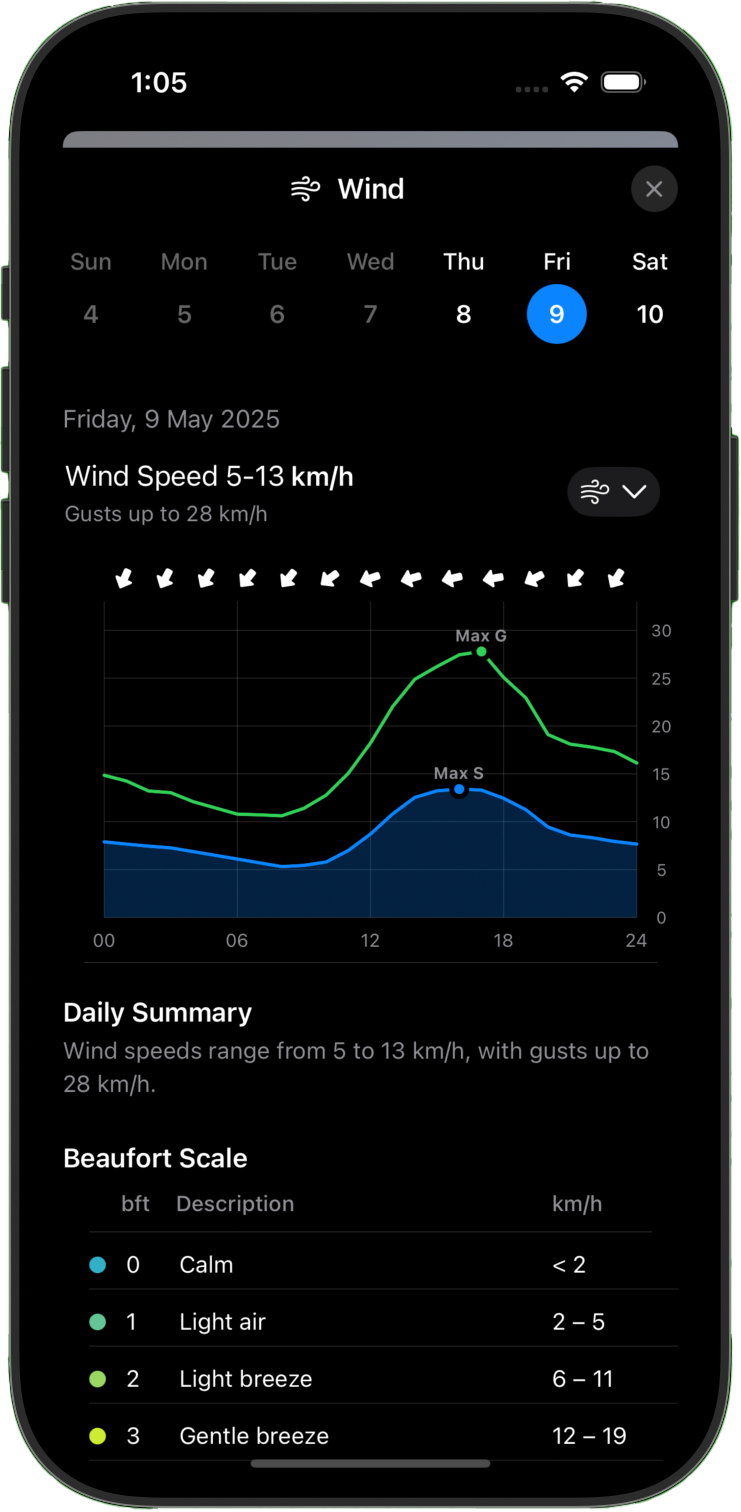
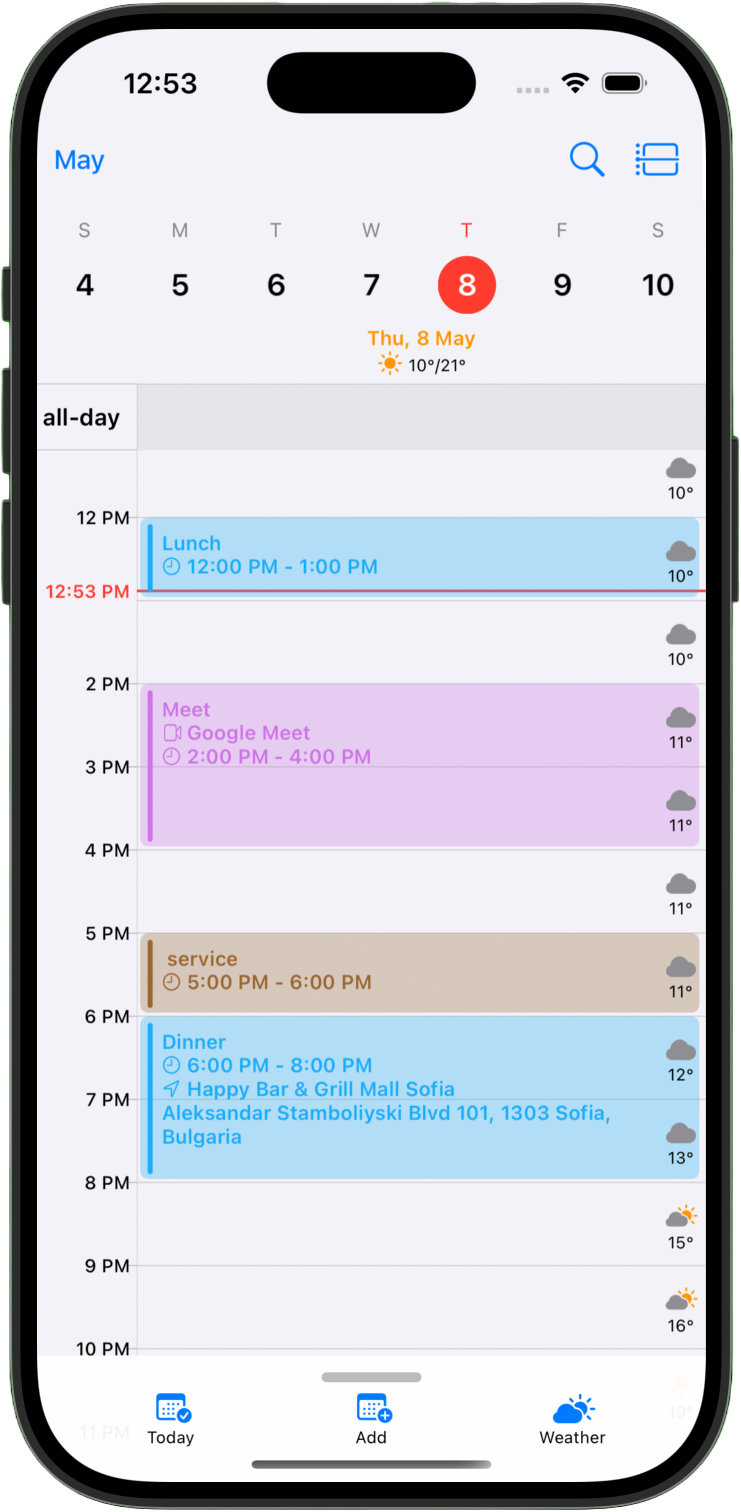
But Cloud Calendars does something that, in hindsight, seems so obvious yet is profoundly impactful: it integrates weather forecasts directly into the calendar. This isn't just a tiny icon in the corner; it’s a detailed, hour-by-hour forecast alongside my appointments. Planning a client lunch? I can see if the patio will be an option. Scheduling a weekend hike? I know to move it if rain is on the horizon. The dedicated weather hub is a treasure trove of information, with beautiful charts for everything from wind speed to UV index. It’s like having a personal meteorologist who understands my schedule. This feature has saved me from being caught in a downpour on my way to an important meeting more times than I can count.
Effortless and Intuitive
Beyond its powerful features, the user experience is what makes Cloud Calendars a joy to use. Rescheduling an event is as simple as dragging and dropping it to a new time slot. Need to extend a meeting? Just pull the edge of the event block. It feels natural and fluid, removing the friction I’ve experienced with other calendar apps. The automatic integration with Google Meet and Microsoft Teams is another small but significant time-saver, automatically generating meeting links for my events.
A Tool for a Balanced Life
Cloud Calendars has done more than just organize my schedule; it has given me a sense of control and calm. By bringing my personal and professional lives together in one place, I’m better able to see the bigger picture and make smarter decisions about how I spend my time. It’s a powerful tool for anyone who feels overwhelmed by the demands of a busy life. If you're tired of juggling multiple apps and want a more holistic approach to planning, I can't recommend Cloud Calendars enough. It’s the app I never knew I needed, and now I can’t imagine my life without it.