
Automatic time blocking or manual calendar planning? Compare the controls
Time blocking means reserving time for work. Automatic scheduling adds a separate decision: software chooses where tasks fit and may move them when the day changes. Choose how much control to delegate before comparing an AI planner with a calendar app. Arte Soft, the developer of Cloud Calendars, publishes this guide.
Start with what is fixed and what can move
A client call at an agreed time is a commitment. Preparing its slides is work that might fit into several earlier periods. Keep the call fixed and decide how the preparation may move. Dragging an ordinary calendar block yourself is manual planning; asking a service to select a new slot is automation.
For an illustrative day, suppose you have seventy-five minutes of preparation and two free forty-minute periods before the call. A single uninterrupted block cannot fit, but a task that may be split could. Decide whether splitting is acceptable before evaluating a scheduler’s proposed result.
FlowSavvy: choose the hours available to each kind of task
FlowSavvy’s scheduling-hours guide describes profiles that constrain when tasks may be placed, with date overrides for exceptions. It distinguishes the free plan’s single profile from the additional profiles in Pro. Check the current plan if work and personal tasks need different windows.
Its guide also explains that a busy all-day event can block a whole day from scheduling. Inspect busy/free status rather than relying only on how a coloured block looks. A holiday that appears visually but is not treated as unavailable may produce a different plan than you intended.
Motion: understand deadline and rescheduling behaviour
Motion documents placing tasks according to availability, duration, deadlines and priorities, then adjusting them when meetings change. It also describes splitting work into chunks when configured. Use realistic durations and inspect the changed plan after adding a new commitment.
A particularly important rule is its hard-deadline behaviour: the documentation says work may be placed outside normal scheduling hours to meet that deadline. Review that outcome explicitly. A scheduled block is a proposed allocation of time, not a guarantee that the work will be completed or that extra working hours are acceptable.
Morgen: preview a suggested plan before accepting it
Morgen describes an AI Planner that recommends task placements using Frames, allows adjustments and asks you to confirm the plan. It also lists task integrations such as Notion, ClickUp, Linear and Todoist. Check the current integration and device workflow that matches your actual task source.
This preview-and-confirm approach is a different interaction from assuming every task should move without review. During a trial, inspect what changes automatically and what waits for your confirmation. Decide which approach you can comfortably maintain on a busy day.
Cloud Calendars: keep manual planning explicit
Cloud Calendars offers calendar views and event editing on iPhone and iPad. Use ordinary events to reserve focus periods around commitments and move those periods when your plan changes. It is not presented here as an automatic task scheduler.
Manual planning can suit a short list where the reason for each placement is easy to remember. Automation may be worth evaluating when many flexible tasks must fit around changing meetings. Compare the result and maintenance effort, rather than choosing solely because a product uses an AI label.
Test overload instead of only testing a perfect day
Try three harmless examples: a task that fits, a conflicting meeting added later and more work than the remaining day can hold. Check the warning, unscheduled work, changed blocks and any work pushed beyond your preferred hours. Do not test by sending invitations to real participants.
Keep the original task list and calendar until the result is clear. Check which calendars influence availability, where generated blocks are saved and how to stop or undo the workflow using the service’s controls. Those details determine whether the setup is useful when plans change.
Amie: event sync is not proof of task rescheduling
Amie’s Google Calendar documentation describes two-way event sync, selected calendars, attendees and recurring events. That establishes the publisher’s intended event integration. It does not by itself establish how an unfinished task moves around a changed meeting. Evaluate task scheduling separately from event sync.
Test a harmless event creation, edit and deletion in the source account, then inspect a disposable task’s scheduling behaviour under the documented task controls. Confirm the calendar chosen for new events. This guide does not treat marketing claims about instant updates or server storage as an independently measured result.
What it looks like
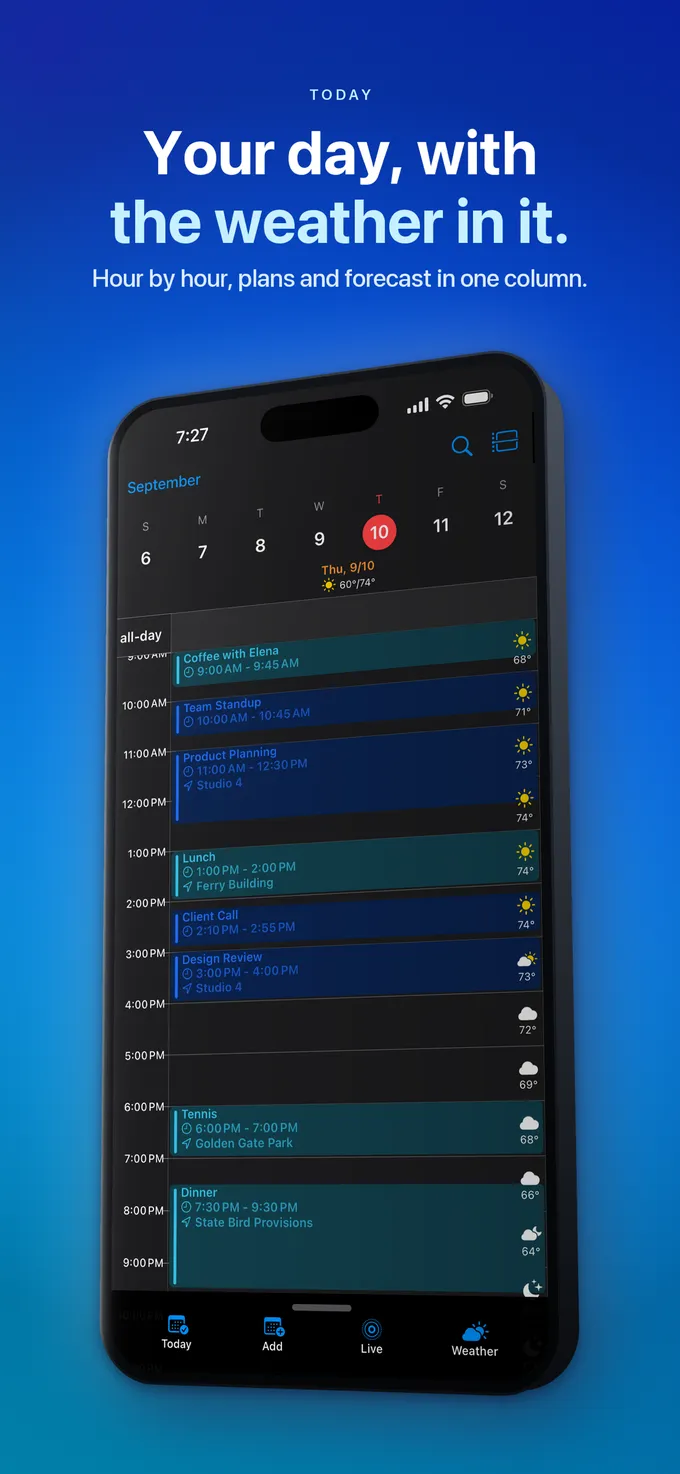




What to do
- Separate fixed commitments from work that may move.
- Estimate task duration and whether splitting is acceptable.
- Set working hours, exceptions and the calendars used for availability.
- Test a conflict and a day with insufficient capacity.
- Review the changed plan and how to pause or reverse the workflow.
Questions
- Does time blocking require AI?
- No. You can reserve time with ordinary calendar events and move it manually. Automatic scheduling is an additional feature that selects or adjusts task placements.
- Can an automatic scheduler guarantee my work will be finished?
- No. It can allocate time using the information supplied. Actual completion still depends on available capacity, realistic estimates and doing the work.
- Why might work appear outside normal hours?
- Check the service’s rules and task settings. Motion’s documentation specifically describes hard-deadline tasks being scheduled outside normal hours when needed to meet the deadline.